
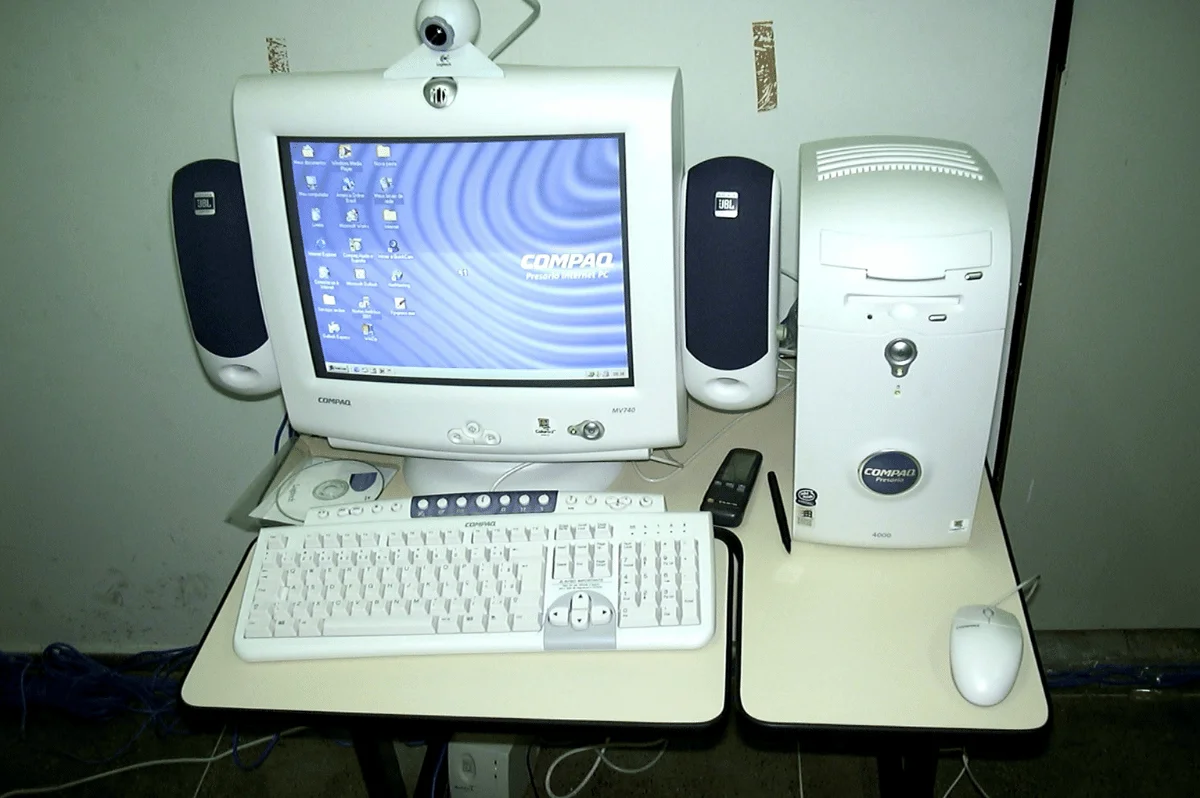
If you’ve searched “what is a PC,” you’re asking about one of the most common types of computers. The letters mean “personal computer,” a machine designed for direct use by one person. These computers handle everyday tasks such as browsing, schoolwork, office work, media, and gaming.
Quick answer: A PC is a personal computer built for one person to use directly. It combines physical hardware, an operating system, and applications for work, school, browsing, gaming, and communication. Desktop computers and laptops both fit this definition, although everyday language often uses the term more narrowly.
| Key fact | Simple explanation |
|---|---|
| Full meaning | Personal computer |
| Main purpose | General computing for an individual user |
| Common forms | Desktop, laptop, all-in-one, mini computer, workstation |
| Core hardware | Processor, motherboard, memory, storage, graphics, and power supply |
| Common operating systems | Windows, macOS, Linux, and ChromeOS |
| Typical uses | Work, school, internet access, communication, gaming, and creative tasks |
| Desktop or laptop? | Both can be personal computers |
Key Takeaways
- A personal computer is designed primarily for individual use.
- Desktops and laptops belong to the same broad computer category.
- Hardware and software work together to process instructions and run applications.
- The processor, memory, storage, and motherboard are among the most important internal parts.
- Everyday language often uses the abbreviation mainly for Windows-based computers.
- Your ideal computer type depends on portability, performance, upgrade needs, and budget.
What Is a PC, and What Does the Term Mean?
The formal definition is broader than many shoppers expect. TechTarget describes a personal computer as a microcomputer designed for one person at a time. That definition includes several shapes and operating systems, not only traditional desktop towers.
In common U.S. usage, the wording is often narrower. Stores, game publishers, and software pages frequently use the term for Windows-based computers. That convention explains why people often compare Windows machines with Macs, despite both being personal computers.
Where Did Personal Computers Come From?
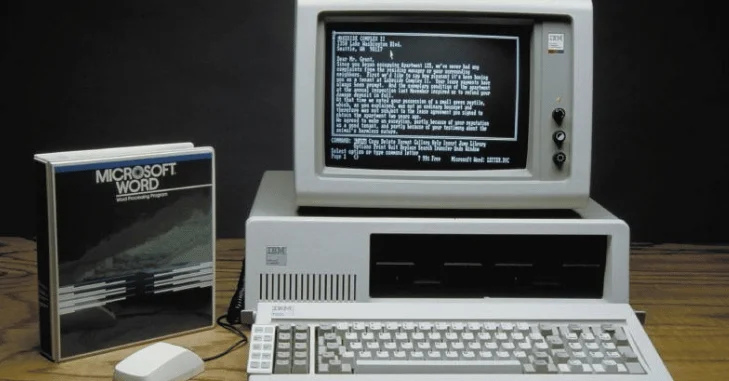
Personal computers existed before IBM entered the market. IBM introduced the Model 5150 Personal Computer on August 12, 1981, according to IBM. Its open architecture helped compatible hardware and software spread across homes and businesses.
That history shaped the modern meaning of the term. IBM-compatible machines became common, while Microsoft operating systems later dominated that ecosystem. The label eventually became everyday shorthand for many Windows computers.
What Are the Main Parts of a Personal Computer?
Every modern computer relies on several components working together. Some parts process instructions, while others store information or connect devices. Understanding their roles makes computer specifications easier to read.
- CPU: The central processing unit executes instructions and performs calculations.
- Motherboard: This main circuit board connects the processor, memory, storage, expansion devices, and ports.
- RAM: Random access memory holds information that active programs need quickly.
- Storage: An SSD or hard drive keeps files, applications, and the operating system.
- GPU: The graphics processor creates images, video, animations, and game graphics.
- Power supply: Desktop power supplies convert electricity for the computer’s internal components.
- Cooling system: Fans and heat sinks move heat away from important hardware.
- Network hardware: Ethernet and Wi-Fi components connect the computer to local networks and the internet.
- Input devices: Keyboards, mice, microphones, cameras, and controllers send information to the computer.
- Output devices: Monitors, speakers, and printers present information to the user.
Desktop computers usually make these parts easier to replace. Laptops fit most components inside a smaller enclosure and often provide fewer upgrade options. Readers interested in upgrades can browse Technolf’s AI Tech guides for related hardware topics.
How Does a Personal Computer Work?
A computer follows instructions supplied by its operating system and applications. Hardware receives data, processes that data, stores information, and produces an output. These actions happen repeatedly while you browse websites, edit documents, watch videos, or play games.
A simple task follows this basic process:
- You provide input through a keyboard, mouse, touchscreen, microphone, or another device.
- The processor receives instructions from the operating system and active applications.
- Memory temporarily holds information required for the current task.
- Storage keeps files and programs after the computer shuts down.
- The graphics hardware prepares visual information for your display.
- The computer sends the requested result through the screen, speakers, printer, or another device.
The operating system coordinates much of this activity. It manages hardware resources while providing an interface for files, settings, applications, and connected devices. Windows, macOS, Linux, and ChromeOS use different interfaces but perform many similar core jobs.
What Types of Personal Computers Are There?
Personal computers come in several designs because users have different priorities. A student may value battery life, while a gamer may prefer replaceable desktop hardware. Office users may prioritize reliability, screen space, and comfortable peripherals.
| Type | Main advantage | Main limitation | Good for |
|---|---|---|---|
| Desktop | Easy upgrades and strong performance | Not portable | Gaming, offices, creative work |
| Laptop | Portable and battery-powered | Harder to upgrade | Students, travel, remote work |
| All-in-one | Compact desk setup | Limited internal upgrades | Homes, reception areas, offices |
| Mini computer | Small physical footprint | Limited expansion space | Basic work, media, compact desks |
| Workstation | Built for demanding workloads | Higher cost | Engineering, 3D work, professional creation |
Your daily routine should guide the choice. Portable users can compare options in Technolf’s laptop guide for business and personal use. Desktop users may prefer greater cooling capacity, expansion space, and component flexibility.
Is a Mac a PC?
Yes, a Mac is technically a personal computer because it is designed for individual use. Apple computers include the same basic hardware categories, including processors, memory, storage, displays, and input devices. The main differences involve platform, operating system, hardware design, and software compatibility.
In casual conversation, people often use “Mac” and “Windows computer” as separate categories. This distinction is useful when discussing software compatibility or buying accessories. It does not change the broader technical definition of a personal computer.
Is a Laptop a PC?
A laptop is a portable personal computer designed to combine its main components in one enclosure. It usually includes a built-in screen, keyboard, trackpad, battery, memory, storage, and processor. Unlike a desktop, it prioritizes portability and battery operation over easy hardware upgrades.
Desktops and laptops can often run similar applications and perform the same everyday jobs. Their biggest differences involve portability, cooling, repairability, expansion options, and power consumption. The better choice depends on where and how you plan to use the computer.
Desktop vs. Laptop: What Is the Difference?
Desktops and laptops share the same basic computing principles. Their designs solve different practical problems rather than providing completely different computing experiences. A desktop favors a permanent workspace, while a laptop favors mobility.
| Feature | Desktop | Laptop |
|---|---|---|
| Portability | Low | High |
| Battery | Usually none | Built in |
| Hardware upgrades | Often easier | Often limited |
| Cooling space | More available | More restricted |
| Built-in display | Usually separate | Included |
| Keyboard and pointing device | Usually separate | Included |
| Desk space | Requires more room | Usually compact |
A desktop can also support several monitors and peripherals easily. Technolf’s dual-monitor setup guide explains the ports, cables, display modes, and settings involved. Check your graphics hardware before purchasing additional screens or adapters.
What Can You Use a Personal Computer For?
Modern computers support far more than basic document creation. The same machine can handle communication, entertainment, research, shopping, creative projects, and professional software. Performance requirements change depending on the applications you choose.
Common uses include the following.
- Browsing websites and using online services
- Sending email and joining video calls
- Writing documents and creating spreadsheets
- Attending online classes
- Programming and software development
- Editing photos, audio, or video
- Streaming movies and music
- Playing computer games
- Managing personal finances
- Running business applications
- Storing and organizing files
- Connecting printers, cameras, displays, and other devices
Businesses often build complete workstations around computers rather than buying the main machine alone. Displays, headsets, network equipment, storage, and comfortable input devices can improve the working setup. Technolf’s small-office technology guide covers additional equipment that can support an office workspace.
How Do You Choose the Right Computer?
Start with the applications you expect to use most often. Basic browsing and documents require less performance than modern games, video editing, or engineering software. Choosing around your real workload can prevent unnecessary spending.
Pay attention to these specifications:
- Processor: Influences general computing performance and application speed.
- Memory: More RAM helps when several programs or browser tabs run together.
- Storage: SSD storage provides fast file access and startup times.
- Graphics: Dedicated graphics hardware helps with gaming and demanding visual workloads.
- Display: Resolution, size, color quality, and refresh rate affect the viewing experience.
- Ports: Check USB, HDMI, DisplayPort, audio, and other connections you need.
- Networking: Modern Wi-Fi and Ethernet support can improve network connectivity.
- Upgrade options: Desktop users may want accessible memory, storage, and expansion slots.
Portability should also influence your decision. A laptop makes sense when your work moves between school, home, offices, or travel locations. A desktop often makes more sense when performance and hardware expansion matter more.
Frequently Asked Questions
What is a PC in simple terms?
It is a computer intended mainly for one person to use directly. It combines hardware and software to process information, store files, and run applications. Common examples include desktop computers and laptops.
What does PC stand for?
The abbreviation stands for personal computer. The term originally described computers designed for individual users rather than shared mainframe systems. Everyday usage often applies it most strongly to Windows-based computers.
Is a desktop the same thing as a personal computer?
A desktop is one type of personal computer. It normally stays at a desk and uses a separate monitor, keyboard, and mouse. Other personal computer designs include laptops, all-in-one systems, and compact machines.
Can a personal computer work without the internet?
Yes, many computer functions work without an internet connection. You can use installed software, edit local files, play offline games, and access saved media. Internet access becomes necessary for websites, cloud services, online communication, and network-dependent applications.
Which computer parts matter most for performance?
The processor, memory, storage, and graphics hardware have major effects on performance. Their importance changes according to the software and workload involved. Gaming places different demands on hardware than web browsing or basic office work.
Do you need an expensive computer for everyday tasks?
Most everyday tasks do not require premium hardware. Browsing, email, streaming, and document editing can run well on modest modern systems. More expensive hardware becomes useful for demanding games, professional creation, engineering, or other intensive workloads.
The Bottom Line
A personal computer is a general-purpose machine designed for an individual user. Its processor, memory, storage, operating system, and other hardware work together to run programs. Desktops and laptops use the same fundamental ideas despite their different physical designs.
Once you understand these basics, computer specifications become easier to compare. Start with your workload, portability needs, and upgrade plans before focusing on individual components. Keep exploring Technolf’s PC builder articles when you’re ready to learn about hardware choices and upgrades.