
Introduction
In today’s rapidly evolving digital landscape, choosing the best laptops for business and personal use is crucial. With a wide variety of models available, finding the perfect laptop can seem overwhelming. Whether you need a reliable device for studying, professional tasks, creative projects, or everyday browsing, aligning your choice with your unique requirements and budget is essential.
From versatile and budget-friendly models to high-performance laptops tailored for demanding workloads, there’s a device for every lifestyle. This comprehensive guide will help you navigate top laptops on the market in 2024, outlining key features and brands that cater to students, professionals, creatives, and budget-conscious shoppers alike.
Best Laptops for Business and Personal Use
The ideal modern laptop should excel across various tasks: managing spreadsheets, running creative software, streaming HD content, and enduring long usage without frequent charging.
- Performance & Speed: Prevent lag and crashes for smooth operation.
- Portability: Essential for on-the-go professionals and students.
- Battery Life: Stay productive without constantly searching for power outlets.
- Display Quality: Ensures comfort during extended use.
- Build & Reliability: Crucial for frequent travel and daily use.
Table: Best Laptops by Use Case and Budget in 2024
| Category | Recommended Model | Starting Price | Key Features |
| Best Overall for Business | Apple MacBook Air M3 | $1,099 | Lightweight, powerful M3 chip, long battery life |
| Best for Students | HP Pavilion x360 | $649 | 2-in-1 design, touchscreen, budget-friendly |
| Best Budget Laptop | Acer Aspire 5 | $399 | Reliable specs, solid build, affordable |
| Best for Portability | Dell XPS 13 | $1,099 | Ultra-slim, bright display, fast SSD |
| Best for Creative Work | Apple MacBook Pro M3 Pro | $1,599+ | Powerful GPU, Retina display, long battery life |
| Best for Multitasking | Lenovo Yoga 7i | $849 | 16GB RAM, flexible 2-in-1 design, fast storage |
| Best Windows Laptop Overall | Microsoft Surface Laptop 5 | $999 | Excellent screen, deep Windows integration |
| Best Chromebook | Lenovo Chromebook Flex 5 | $429 | Affordable, simple Chrome OS |
Best Overall Laptop for Business: Apple MacBook Air M3
Powered by Apple’s latest M3 chip, the MacBook Air M3 offers exceptional speed and efficiency, making it an outstanding business companion. It delivers up to 18 hours of battery life, weighs just 2.7 pounds, and sports a vibrant 13.6-inch Liquid Retina display.
This model is perfect for entrepreneurs, remote workers, and frequent travelers who seek a balance of performance and portability. Its fanless design ensures silent operation, and its premium build quality supports efficient multitasking on macOS. The laptop’s higher price point and limited port options may require additional accessories for connectivity.
Best Laptop for Students: HP Pavilion x360
The HP Pavilion x360 is a versatile 2-in-1 laptop offering excellent value for students. Its 14-inch Full HD touchscreen and 360-degree hinge enable easy switching between laptop and tablet modes, ideal for note-taking, drawing, and media consumption.
With 8 to 10 hours of battery life, it comfortably lasts through a full day of classes or study sessions. Running Windows 11, it provides a familiar and user-friendly interface. Its affordability combined with flexibility makes it a popular choice among budget-conscious students.
Perfect for: Online learners, high school and college students
Pros
- Touchscreen with stylus support
- Lightweight and portable
- Good performance for the price
Cons
- Not suitable for heavy video editing or gaming
- Average build quality
Best Budget Laptop: Acer Aspire 5
The Acer Aspire 5 delivers outstanding value for under $500, making it an excellent choice for budget-conscious users who need dependable performance for daily tasks like browsing, emailing, word processing, and light multitasking.
Its 15.6-inch Full HD screen offers ample workspace, and battery life ranges between 7 to 9 hours. Configurations with Intel Core i3 or Ryzen 5 processors provide solid performance at a low price point, maintaining usability without sacrificing essential features.
Ideal for: Casual users, students, entry-level professionals
Pros
- Comfortable keyboard and responsive trackpad
- Upgradeable RAM and storage options
- Affordable without compromising functionality
Cons
- Not suitable for power users
- Plastic chassis construction
Best for Portability: Dell XPS 13
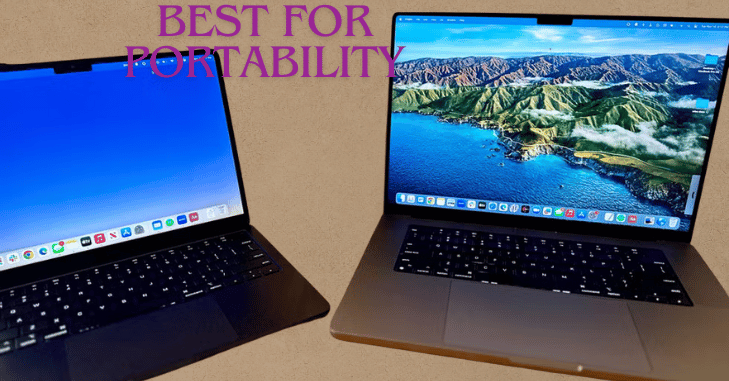
The Dell XPS 13 continues to be one of the slimmest and lightest Windows laptops available, ideal for professionals and students who require true portability. Its virtually borderless InfinityEdge display maximizes screen space, perfect for working in confined areas such as airplanes or small desks.
Weighing just 2.6 pounds and equipped with Intel’s 13th Gen Core i5 or i7 processors, it offers smooth multitasking and productivity. Battery life ranges from 10 to 12 hours, supporting a full day without charging.
Ideal for: Frequent travelers, remote workers, students
Pros
- Vivid, high-quality display
- Compact design with strong performance
- Premium materials and build quality
Cons
- High price compared to average laptops
- Limited to USB-C ports only
Best Laptop for Creative Professionals: Apple MacBook Pro M3 Pro
The Apple MacBook Pro M3 Pro is the go-to laptop for photographers, designers, and video editors, thanks to its outstanding performance and brilliant display. Equipped with the latest M3 Pro or M3 Max chips, it ensures seamless handling of intensive creative workloads.
Offering 16GB or 32GB RAM options, the MacBook Pro handles multitasking and large project files effortlessly. Its 14.2-inch Liquid Retina XDR display delivers incredible color accuracy and brightness, highly valued by creative professionals.
Ideal for: Creatives using Final Cut Pro, Adobe Creative Suite, 3D modeling software
Pros
- Best-in-class performance
- Up to 18 hours of battery life
- Quiet operation under heavy load
Cons
- Premium price point
- Non-upgradable after purchase
Best for Multitasking: Lenovo Yoga 7i
The Lenovo Yoga 7i impresses with 16GB RAM, fast SSD storage, and a versatile 2-in-1 design, making it perfect for users who juggle multiple apps and browser tabs simultaneously. It offers 14-inch or 16-inch touchscreens with rich colors and responsive touch capabilities.
The 360° hinge facilitates seamless transitions between laptop and tablet modes, and stylus support adds creative flexibility. Battery life of up to 15 hours sustains productivity throughout the day.
Ideal for: Educators, managers, multitasking professionals
Pros
- Strong performance for its price
- Flexible 2-in-1 form factor
- Good audio and display quality
Cons
- Heavier than some competitors
- Keyboard layout may require adjustment
Best Windows Laptop Overall: Microsoft Surface Laptop 5
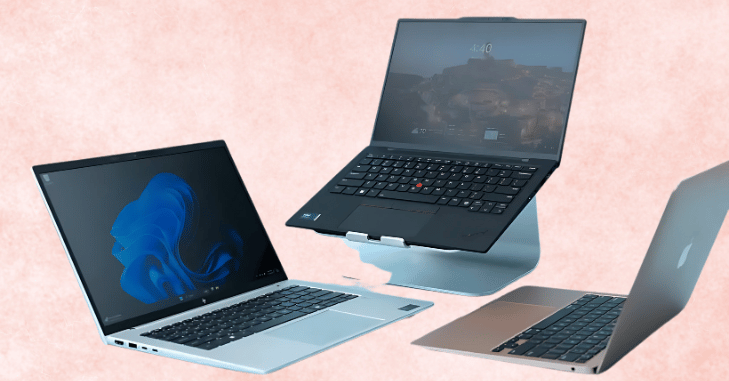
The Microsoft Surface Laptop 5 merges stylish design with robust performance, delivering a smooth Windows 11 experience coupled with a vibrant touchscreen display. Available in 13.5-inch and 15-inch PixelSense screens, it offers crisp visuals for productivity and entertainment.
Powered by 12th Gen Intel Core i5 or i7 processors, it provides reliable performance for everyday computing. With up to 17 hours of battery life, it’s well-suited for users requiring all-day use. Its lightweight aluminum chassis adds to its premium feel.
Ideal for: Professionals preferring Windows, creatives, hybrid workers
Pros
- Lightweight and durable aluminum body
- Excellent display and comfortable keyboard
- Seamless Windows updates and integration
Cons
- No built-in SD card reader
- Higher price compared to similar specs
Best Chromebook: Lenovo Chromebook Flex 5
The Lenovo Chromebook Flex 5 is an affordable and efficient option for users who rely mainly on Google Workspace and browser-based apps. Powered by Intel Core i3 or i5 processors, it offers fast boot times and smooth web performance.
With Chrome OS’s secure and lightweight design, it simplifies maintenance and offers up to 10 hours of battery life. Its 2-in-1 form factor and touchscreen add versatility, making it a great choice for students and casual professionals focused on cloud work.
Ideal for: Students, casual users, cloud workers
Pros
- Touchscreen and 2-in-1 design
- Secure and easy to use OS
- Long battery life for all-day use
Cons
- Limited to web-based applications
- Not ideal for offline or heavy tasks
How to Pick the Ideal Laptop for Yourself?
Consider these key points to streamline your laptop choice:
Define Your Primary Use
Identify your main tasks first. For business and productivity, pick a reliable, secure machine with long battery life like the Apple MacBook Air or Microsoft Surface Laptop. For students, lightweight and affordable models with good webcams like the HP Pavilion or Chromebook are ideal.
Creative professionals should prioritize monitors with exceptional color accuracy, sufficient RAM, and strong GPUs—the MacBook Pro or Lenovo Yoga 7i are great choices. For casual users focused mainly on web browsing or basic tasks, budget-friendly laptops such as the Acer Aspire 5 or Chromebooks will be sufficient.
Pick Your OS: Windows, macOS, or ChromeOS?
- Windows: Offers flexibility and a vast app ecosystem.
- macOS: Perfect for creative workflows and Apple ecosystem integration.
- ChromeOS: Great for basic tasks, cloud-centric work, and minimal maintenance.
Decide on Specs Based on Tasks
| Task | Recommended Specs |
| Web browsing & documents | Intel Core i3, 128GB SSD, 4GB RAM |
| Office work & multitasking | Intel Core i5 / 8GB RAM / 256GB SSD |
| Photo/Video Editing | Intel Core i7 or Apple M3 chip / 16GB+ RAM / Retina or 4K display |
| Gaming | Dedicated GPU / AMD Ryzen 7 / 16GB RAM |
| Travel | Under 3 lbs / Long battery life / Compact size |
Final Thoughts: Balance Performance, Price, and Purpose
Choosing the best laptop for business and personal use hinges on understanding your needs, lifestyle, and budget. Whether you’re a student seeking versatility and affordability with models like the HP Pavilion x360 or Lenovo Chromebook Flex 5, a professional prioritizing high performance and portability with the MacBook Air M3 or Dell XPS 13, or a creative expert needing top-tier specs with the MacBook Pro M3 Pro, there is a device tailored to your demands.
Budget-conscious buyers also have excellent choices like the Acer Aspire 5 that deliver dependable performance without compromising essentials. By balancing factors such as speed, battery life, portability, and price, you can select a laptop that enhances your productivity and enjoyment. The ideal laptop supports your goals seamlessly—whether for work, school, or leisure—empowering your success.
As technology continues to evolve, laptops now integrate cutting-edge features like AI-assisted performance optimization, faster charging, and improved thermal management to extend usability. Additionally, the push towards eco-friendly manufacturing ensures more sustainable options without sacrificing power or design. Staying informed about the latest trends and user reviews will help you make a future-proof investment that delivers exceptional value.
Want to learn more about “[ [LINK_34] ]”? Explore our “[ [LINK_35] ]” category for detailed insights.
FAQs
Using a company laptop for personal purposes can violate company policies and may create software licensing and security risks, as the device is company property.
HP, Dell, Acer, and Apple are among the top business laptop brands known for their reliability, innovation, and extensive manufacturing experience.
The ASUS Vivobook 16 M1605 (2023) is highly recommended for budget-conscious business users seeking affordability without compromising essential features.
According to Australian Computer Traders, Lenovo is favored for dependability, cost-effectiveness, and efficiency, while Dell is known for high-performance processors and sleek designs.
Want to know about ‘Technology evolves rapidly‘ Check out our ‘PC Builders‘ category.
For businesses looking to dispose of their old laptops in an eco-friendly manner, check out our guide on recycling business computers
For businesses looking to dispose of their old laptops in an eco-friendly manner, check out our guide on recycling business computers.
For businesses looking to dispose of their old laptops in an eco-friendly manner, check out our guide on recycling business computers.