
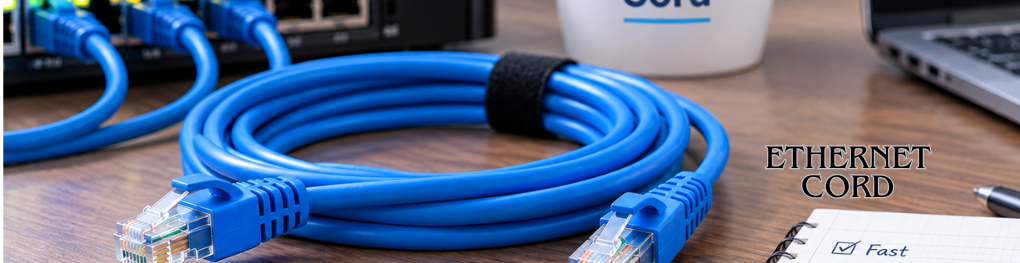
An Ethernet cord gives your computer, console, television, or other device a direct wired network connection. It usually connects your device to a router, switch, modem, or wall network jack. For most U.S. homes, Cat6 offers the strongest balance of speed, price, compatibility, and future usefulness.
A wired network cable carries data directly between compatible network devices. Cat6 is the practical choice for most new home connections. Cat6a makes more sense for long 10-gigabit runs, while Cat5e remains adequate for many gigabit setups.
| Ethernet Cord category | Typical capability | Useful distance | Best fit |
|---|---|---|---|
| Cat5e | 1 Gbps at 100 meters | Up to 328 feet | Existing gigabit home networks |
| Cat6 | 1 Gbps at 100 meters; 10 Gbps on shorter runs | 328 feet at 1 Gbps | Most homes, gaming, home offices |
| Cat6a | 10 Gbps at 100 meters | Up to 328 feet | New wiring and long 10-gigabit links |
| Cat8 | Up to 25/40 Gbps for specialized links | Short runs | Data centers and specialized equipment |
Cisco documents 10-gigabit operation over Cat6 UTP at distances up to 55 meters. Cat6a can support that speed across a 100-meter channel. CommScope also identifies Cat6a as a full-distance 10-gigabit cabling option.
TL;DR: Most households do not need the highest category number available. Cat6 is usually enough for gaming, streaming, remote work, and gigabit service. Match the cable to your network ports, required distance, installation location, and future upgrade plans.
What a Wired Network Cable Actually Does
A network cable creates a physical data path between two compatible devices. Common examples include a desktop connected to a router or a console connected to a network switch. The familiar plug has eight contacts and locks into a compatible network port. This wired path avoids the radio interference that affects wireless connections. It can also provide steadier performance when walls, distance, or nearby networks weaken Wi-Fi. T-Mobile describes these cables as connections between devices such as computers, routers, and other network equipment.
A wired connection cannot exceed the limits of your internet plan or connected hardware. A faster cable cannot turn a 300 Mbps subscription into gigabit internet. Your router ports, computer adapter, switch, and service plan all help set the final speed. If your wired connection also performs poorly, test the wider network before replacing equipment. Technolf’s slow-internet troubleshooting guide explains how to compare wired and wireless results. That comparison can reveal whether the problem comes from Wi-Fi, hardware, or your provider.
How to Choose an Ethernet Cord for Your Setup
Start by checking the fastest network port on each connected device. A 1 Gbps computer port cannot use a 10 Gbps link by itself. Buying far beyond your hardware requirements often adds cost without changing everyday performance. Length matters as much as category. Most common twisted-pair network links use a maximum 100-meter channel, which equals about 328 feet. Long professional installations also include patch cords and permanent cabling within that total distance.
Cat5e Still Works for Many Gigabit Networks
Cat5e remains useful when your equipment uses standard gigabit ports. It can support 1 Gbps across a full 100-meter channel under normal standards-based installations. Replacing working Cat5e patch cables offers little benefit when every connected port remains gigabit-only. The category can make sense for inexpensive replacement cables or older equipment. New permanent wiring deserves more consideration because replacing cable inside walls creates extra work. Spending slightly more on Cat6 may provide useful headroom for later upgrades.
Cat6 Is the Practical Default for Most Homes
Cat6 supports gigabit connections across the normal 100-meter channel. It can also carry 10 Gbps over shorter distances under suitable conditions. Cisco lists 55 meters as the upper 10GBASE-T distance for Cat6 UTP in its guidance. That combination makes Cat6 attractive for gaming PCs, consoles, smart televisions, and home-office desktops. It also works with older gigabit and 100 Mbps hardware. You do not need special software when both devices already have compatible network ports.
Cat6a Makes Sense for Long 10-Gigabit Runs
Choose Cat6a when you specifically need 10 Gbps across longer copper runs. CommScope lists 10-gigabit support to 100 meters for Category 6A cabling. The extra capability can help with new structured wiring and high-speed local file transfers. Cat6a is usually thicker and less flexible than basic patch cables. That difference matters behind desks, around tight furniture, and inside crowded cable channels. For short household connections, Cat6 often provides enough performance and is easier to handle.
Does Cable Category Change Your Internet Speed?
Cable category can limit speed when the cable cannot support the network link. It cannot create bandwidth your service plan doesn’t provide. Your connection normally runs at the speed of the slowest relevant component in the path. Imagine a household with a 1 Gbps internet plan and gigabit router ports. A compliant Cat5e or Cat6 cable can already support that local link. Replacing it with Cat8 will not automatically increase the internet subscription beyond 1 Gbps.
A cable upgrade matters more when older wiring forces the link to negotiate below your equipment’s capability. Damaged connectors can cause similar problems. Poor termination, excessive length, or unsuitable cabling can also reduce reliability. For fiber customers, the wired path may begin at an optical network terminal. Technolf’s ONT modem and fiber hardware guide explains how that device connects fiber service with home networking equipment. Understanding that path helps prevent replacing the wrong component.
Is Wired Better for Gaming, Streaming, and Remote Work?
A wired connection is attractive when consistency matters more than mobility. Wireless performance can change with distance, walls, congestion, and radio interference. A cable removes those wireless variables between your device and local router. That can help online gaming because stable latency matters during fast multiplayer sessions. It can also benefit video calls, large downloads, cloud backups, and local file transfers. BroadbandNow recommends wired connections for demanding tasks that benefit from steady bandwidth and stability.
Wi-Fi still makes more sense for phones, tablets, and devices that move around the home. Modern wireless systems can also deliver excellent speeds under favorable conditions. Many households get the best results by using cables for fixed devices and Wi-Fi for mobile equipment. Small businesses can follow the same approach for workstations, storage devices, and network hardware. Technolf’s small-office technology guide covers routers and network-attached storage within a broader office setup. A planned mix of wired and wireless connections can reduce avoidable bottlenecks.
What U.S. Buyers Should Check Before Purchasing
An Ethernet cord should match the installation, not just the advertised speed. Check the printed category, length, conductor material, connector quality, and intended installation location. Permanent building wiring deserves closer attention than a short, removable patch lead. Be cautious with copper-clad aluminum, often shortened to CCA, when shopping for standards-compliant communications cabling.
Fluke Networks says CCA products can be marketed as category cable despite failing applicable cabling requirements. The company also identifies performance and safety concerns with unsuitable CCA products. For cable running through walls or building spaces, check the required fire rating and local building rules. Requirements can vary with the installation location and local code adoption. Buying from a reputable manufacturer also makes specifications and certification markings easier to verify.
Shielded cable is not automatically better for every household. Proper shielding can help in environments with meaningful electrical interference. Unshielded twisted-pair cable remains common for ordinary residential rooms and short equipment connections.
How to Connect and Check a Wired Connection
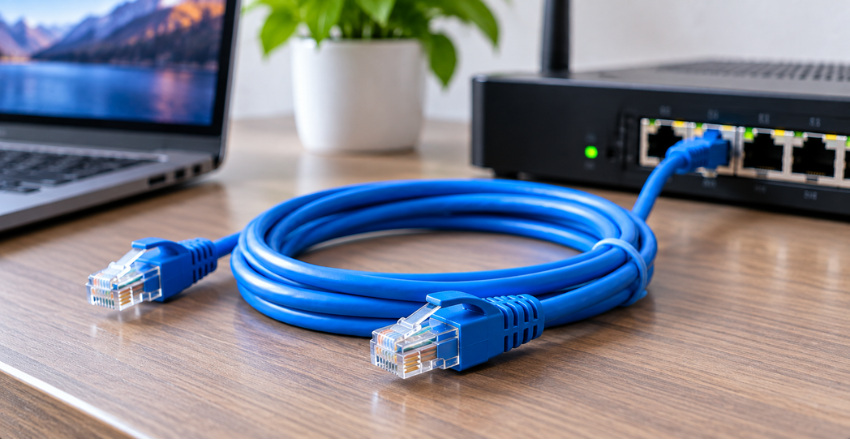
Most home installations require no advanced configuration. The cable should click securely into compatible ports on both devices. Many ports also show link or activity lights after a successful connection.
- Connect one end to a router or switch LAN port and the other end to your device.
- Wait for the device to recognize the wired network, then open a website or network service.
- Run a speed test and compare the result with your internet plan and hardware limits.
- If the connection fails, try another port, another cable, and a restart before changing advanced settings.
A cable with a broken locking clip can disconnect when you move it. Sharp bends, crushed sections, and damaged plugs can also cause unreliable performance. Replace a visibly damaged patch cable before assuming the router or computer has failed.
Choose the Cable Around the Network You Have
Start with your devices, port speeds, cable distance, and installation type. Cat6 fits most U.S. home users without paying for capacity their equipment cannot use. Choose Cat6a when longer 10-gigabit links or new structured wiring make its extra capability worthwhile. Avoid treating the largest category number as an automatic upgrade. A good cable should support the connection you need and fit where you plan to install it. Once the wired link works correctly, test your actual speeds before spending money on other network hardware.
Frequently Asked Questions
Is an Ethernet cord the same as an Ethernet cable?
Yes, both terms normally describe the same type of wired network cable. Retailers may also call it a LAN cable, network cable, or internet cable. The category and construction matter more than the wording used on the package.
What cable should I buy for 1 gigabit internet?
Cat5e can support a standard 1 Gbps link across the usual 100-meter channel. Cat6 is a sensible new purchase because it adds useful performance headroom. Your router and computer still need gigabit-capable ports to reach that speed.
Does Ethernet make gaming faster?
It does not increase your internet plan’s maximum speed. It can provide a more consistent local connection than Wi-Fi in environments with wireless interference. That steadier connection may reduce latency variation or connection drops during online games.
How long can a network cable be?
For common Cat5e, Cat6, and Cat6a installations, 100 meters is the familiar maximum channel length. That equals about 328 feet and includes the complete standards-based channel. Cat6 has a shorter supported distance when carrying 10 Gbps.
Is Cat8 worth buying for a normal home?
Most homes do not have hardware that needs Cat8 performance. Cat6 usually covers typical gigabit equipment and many faster local-network plans. Cat6a is more appropriate when you actually need full-distance 10-gigabit copper wiring.